System startup

  • [01] Booting CK OS…
Loading workspace0%
CK

Case study

QuoteLab

Premium service quotation builder with live pricing and PDF export

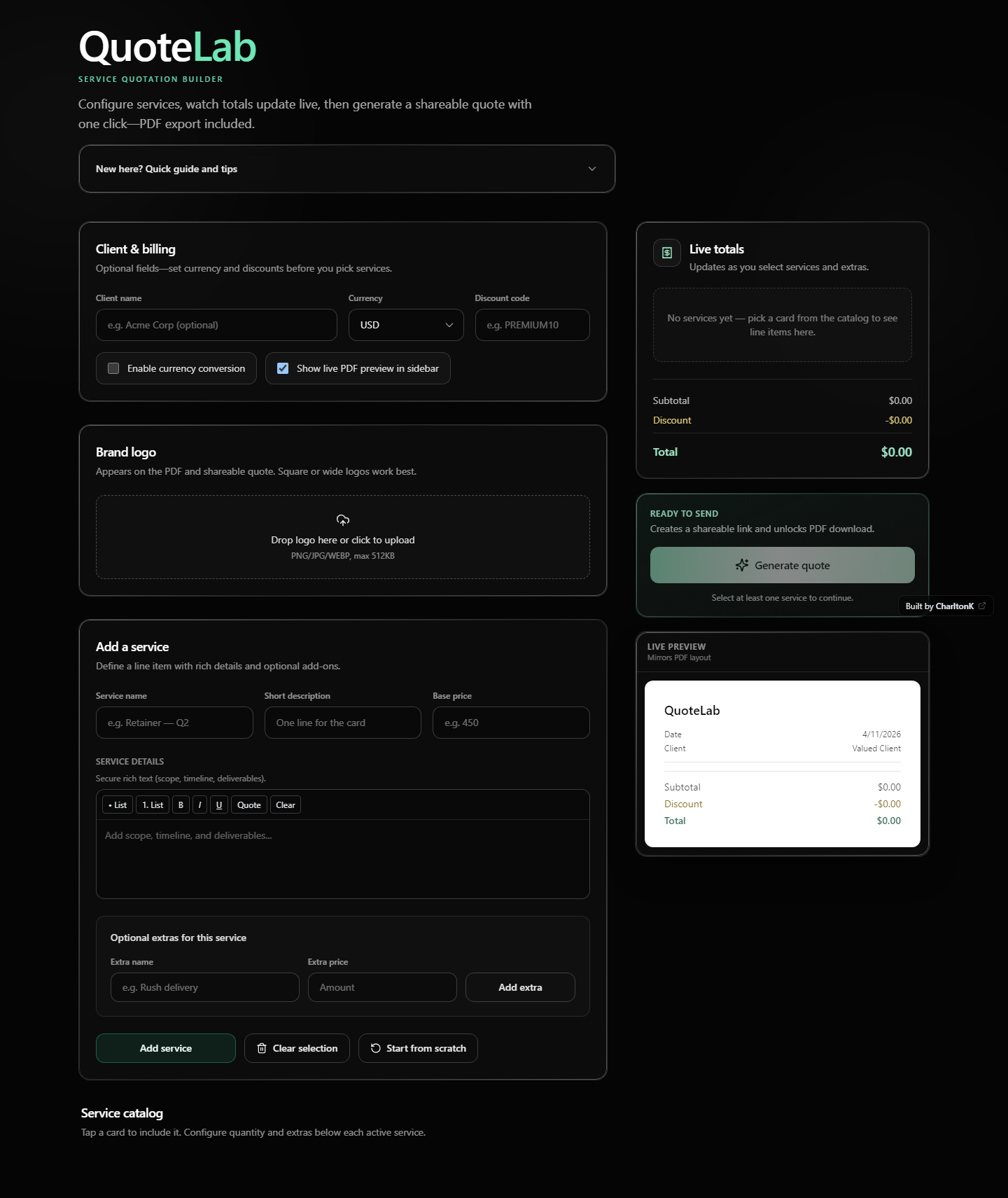
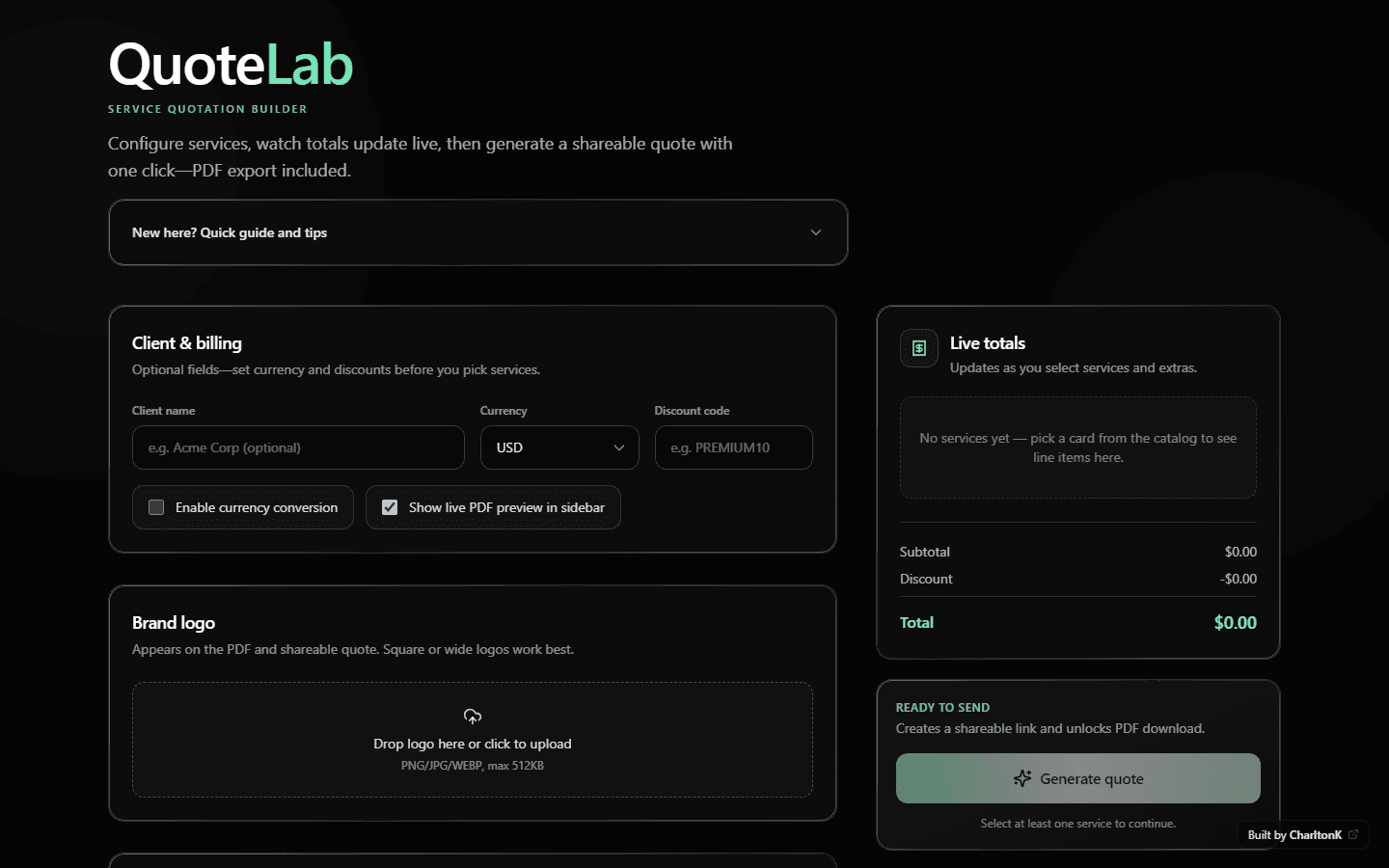
QuoteLab is a modern quotation generator for polished, client-ready service quotes: interactive service selection, custom line items, live totals, and exportable PDFs—without looking like a spreadsheet that gave up.

QuoteLab live interface: QuoteLab wordmark, client and billing fields, brand logo upload, service catalog, and live totals sidebar with generate quote.

Move your cursor — the preview tilts slightly. Real UI capture from production.

Story

Problem → insight → solution

Three beats — each locks in before the next. Scroll-driven, but readable as a linear narrative.

01

Problem

Service quotes usually die in one of two places: a messy spreadsheet that screams “I’m still figuring this out,” or a PDF that took forty minutes to format and still had the wrong total.

02

Insight

The pain isn’t math — it’s trust. People abandon quotes when the tool feels slower than typing a number into chat. The UI has to keep pace with negotiation.

03

Solution

QuoteLab is a focused quotation workspace: structured service selection, room for one-off items, and a live summary that stays honest as the quote evolves.

Goals

Make quoting feel intentional: pick services, tune options, see the number update immediately.
Support real-world mess: custom line items, extras, discounts, and currency without turning the UI into a tax form.
Ship something presentable: a preview that looks client-ready, plus a PDF people can actually send.
Stay fast and readable on phones — because “I’ll look at it later on desktop” is how deals stall.

Code → product

From pricing logic to shipped UI

One compare: the editor shows the real shape of the pricing module; the layer underneath is the live QuoteLab interface. Hover or drag to sweep from implementation to end result.

lib/pricing.ts
// Live totals — same module drives UI + PDF export
import type { Service, SelectedService, PricingLine } from "./types";

export interface PricingSnapshot {
  lines: PricingLine[];
  subtotal: number;
  discount: number;
  total: number;
}

function sumLines(lines: PricingLine[]): number {
  return lines.reduce((acc, line) => acc + line.amount, 0);
}

export function calculatePricing(
  services: Service[],
  selected: SelectedService[],
  discountCode: string
): PricingSnapshot {
  const lines = buildLines(services, selected);
  const subtotal = sumLines(lines);
  const discount = applyDiscount(subtotal, discountCode);
  const total = Math.max(0, subtotal - discount);
  return { lines, subtotal, discount, total };
}
QuoteLab product UI

Drag the handle — code on the left reveals the live QuoteLab surface underneath.

Scroll narrative

How the flow holds together

Scroll through this band: the panel stays fixed while you move through three beats. The right column shows abstract slices of the system — not a full-page screenshot.

Step 1

Configure the quote

Currency, discounts, and optional branding load first — so totals stay honest before line items pile on.

Step 2

Compose line items

Catalog picks, custom services, and extras share one pricing model so you’re not maintaining two truths.

Step 3

Preview & export

Live PDF preview and export close the loop: what you see is what gets emailed.

Client & billing

Client name (optional)
USD
Discount
Currency lockPDF preview on

Step 1 of 3 — keep scrolling to advance.

Capabilities

Built like a product surface

Filter by intent — selection & composition vs. totals, preview, and export.

Interactive service selection

Custom service creation

Extras, discounts, and currency support

Live pricing summary

Quote preview

PDF generation

Responsive UI

Project overview

A quotation workspace that behaves like a product — not a printable accident.

QuoteLab brings together the messy middle of quoting: selectable services, ad-hoc line items, pricing options, and a preview that stays in sync. The focus was product clarity, interaction design, and a frontend that stays calm when the quote gets complicated.

Signals

What shipped — in numbers

Counts tied to the actual build: no vanity KPIs, just scope made legible.

0

Shipped capabilities

Selection → preview → PDF

0

Stack anchors

Next.js · React · Tailwind

0

Core jobs

Select · tune · preview · send

Challenges

  • Balancing flexibility with guardrails — custom services are powerful, but too much freedom turns the page into a generic spreadsheet.
  • Keeping pricing logic transparent: discounts and currency need to read as trustworthy, not “helpful estimates.”
  • PDF generation across browsers and print pipelines — what looks perfect in preview still has to survive export.
  • Performance while updating totals: interactive quoting should feel instant, not like it’s recalculating your life choices.

What I learned

  • The best quote UI is the one that makes people confident enough to hit send — confidence is the real product.
  • Designing for “almost clients” (discounts, extras, last-minute line items) is where quoting tools usually break; supporting those cases early saves a lot of UI regret later.
  • Shipping a polished frontend on Next.js and Tailwind is less about components and more about disciplined spacing, type rhythm, and predictable interaction patterns.

Stack

Next.js and React for a responsive, component-driven UI; Tailwind CSS for rhythm and theme-friendly styling — clear boundaries between layout, quote state, and export.

Next.jsReactTailwind CSS

UX & design improvements

Tightened hierarchy so “what am I buying?” beats “where do I click?” — primary actions read as actions; secondary controls stay available without stealing focus.

Reduced cognitive load in the pricing summary: numbers align, deltas are scannable, and empty states explain what to do next instead of punishing you with whitespace.

Responsive layout choices that preserve context: you shouldn’t lose the running total just because you’re on a narrow screen.

Solution — detail

The flow is built around feedback: every meaningful change updates totals and the preview, so you’re never guessing what the client will see.

Export isn’t an afterthought — it’s the handshake. PDF output is there when the quote is “good enough to send,” not when you’ve given up and screenshotted the browser.

See QuoteLab in motion

The demo is the proof — interactive selection, live totals, and export. This page is the pitch; the product is the receipt.

Visit live demo